
PAX A800
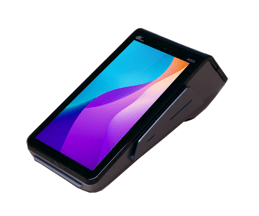
|
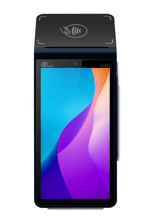
|
PAX A800 FAQ's
- Which region is eligible for the PAX A800?
US - Which Payment Processor is able to use the PAX A800?
Fullsteam Payments - Can you add tips directly on the PAX A800 device?
Yes. - Is there a screen / keypad directly on the device?
There is no keypad, the screen is touch screen for tip selection. - Is there an integrated thermal printer?
Yes, this will print payment receipts (not itemized receipts), and only for transactions completed on the A800. - What is the Lease payment?
$23.99 a month (includes the monthly software fee) - What is the purchase price?
$749 + $3.99 monthly software fee for each PAX A800 device - Does the PAX A800 accept ApplePay and GooglePay?
Yes. - Does the PAX A800 have Tap, Swipe and Insert functionality?
Yes. - How does the PAX A800 connect?
Wifi. - What's a good use-case for choosing the PAX A800?
You want a wireless option that you can bring to the Customer tableside, but still have the tip window on the device. (You can have multiples of these devices and send transactions from any POS device to any of the EMV devices). - How do you set up the PAX A800 device once you receive it?
Click here to view the Setup article/video. - What does the workflow look like?
Click here to see a video of how the Pax A800 device works. - Are there protective cases that can be purchased for the PAX A800?
No. - Ready to Order?
All devices must be purchased through Commerce7.
Step 1: IMPORTANT! Review the Return and Exchanges terms here.
Step 2: In Commerce7, navigate to the Help Center and click on Order EMV Terminals.
- Who will see this section?
-
Only users with Admin Owner permissions.
- Only tenants who are active Fullsteam customers (once a Fullsteam MID has been activated).
-
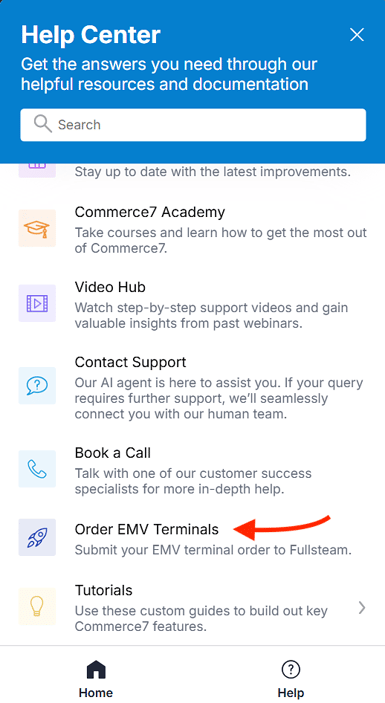
Once submitted, Fullsteam will order the terminal(s) for you.
- Who will see this section?