
What it is
Ask Pip allows you to ask questions about your data in plain english. Find answers quickly without sifting through reports and export files.
Powered by every data point in your Commerce7 account, from club performance to tasting room revenue to DTC trends.
Who can access Pip?
Anyone with user permissions to pull reports, can access Pip. For example 'POS Basic' cannot access Pip, while 'POS + Reservations Advanced' can access Pip.
Is Pip data in real time?
Pip data is synced nightly, so insights reflect data from the previous day.
Feature Highlights
- Pip is an AI agent built directly into Commerce7, letting anyone on your team ask questions about their business and get instant, plain-language answers.
- Instead of pulling reports, you can ask things like "how is my club performing this month" or "what was my busiest tasting day last quarter" and get an answer immediately.
- Pip draws from every data point available in Commerce7, including sales, reservations, club metrics, and more, so the answers are grounded in your actual numbers.
- Because it lives inside the platform, there is no switching tools or exporting data, your team gets the insight right where they are already working.
- Learn more about how Commerce7 uses AI here.
What can Pip help with?
Pip is a helper to learn more about your data and gain insights quickly. (Pip is not designed to help you learn how to use Commerce7 or to help with completing any tasks).
Ask it questions like:
- "Who are my top customers?"
- "What month this year has performed the best?"
- "Show me all orders that were placed this week"
- "What order channel performed the best for the month of Mar 2026"?
- "What are my top selling SKUs?"
- "Which of my clubs has performed the best, comparing this year and last?"
Using Ask Pip
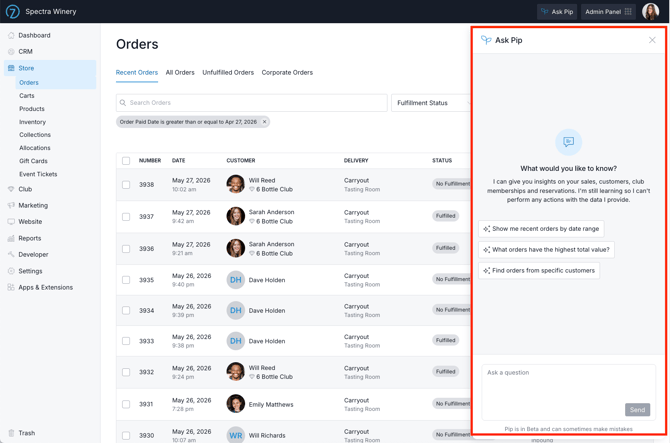
- Click the Ask Pip button at the top right from any page in Commerce7 to get started.
- The only page that Pip will not appear is the main POS page.
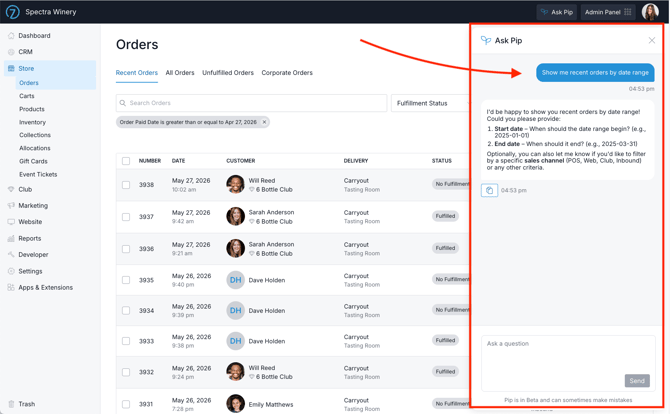
- Type in a question about your data, or click on a preset question.
- Be specific to make sure you get the data that you're looking for.
- If Pip isn't sure or needs more clarification, it'll ask.
- For questions about your orders, if no date range is specified, Pip will look at orders from the past year.
- Once you have an answer, you can ask a follow-up question to dig deeper.
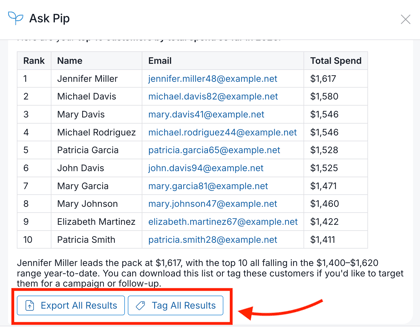
- Export or Tag the information by clicking the Export All Results or Tag All results button at the bottom of the chat window.
- Alternatively, you can click the 'copy' icon to copy the results to your clipboard.
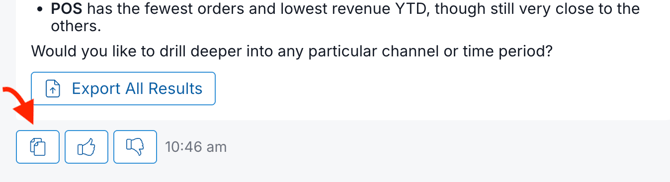
- Alternatively, you can click the 'copy' icon to copy the results to your clipboard.
Ending the Conversation
- To close the chat, click outside of the window or click "Ask Pip" again.
- To clear the conversation and start from scratch, refresh the page.
Currently, Pip does not allow you to access a log of all conversations so make sure you save the results.
Pip only works for clients who are live with Commerce7. If you're currently onboarding, once you go live, you'll gain access to Pip's full capabilities!
FAQ
-
Can you export information from a Pip search?
Yes - you'll see an 'Export All Results' button at the bottom of the chat window. - Can you Tag customers from a Pip search?
Yes - you'll see an 'Tag All Results' button at the bottom of the chat window. -
What LLM Model does Pip utilize?
Pip utilizes Claude (Anthropic). The customer database is not inside the LLM but rather the database schema is and Claude writes a query which is then executed inside C7. C7 runs Claude on AWS Bedrock which does NOT use your data to learn. -
How sophisticated can Ask Pip's queries get? Specifically, how many metrics can be layered into a single query?
Pip draws from all C7 data and supports complex, multi-layered queries. For example, you can ask, “Who are my club members who have not visited yet this year?" -
Is Pip data in real time?
Pip data is synced nightly, so insights reflect data from the previous day.