
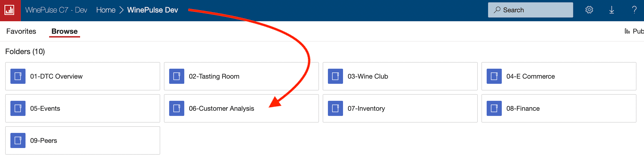
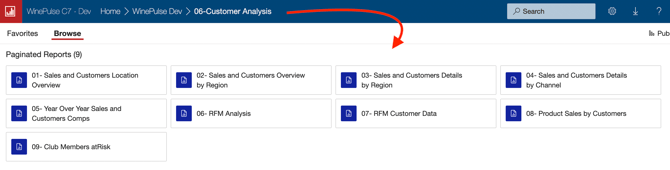
- Choose 06- Customer Analysis
- Depending on what you’d like to analyze, you’ll find a range of reports designed to surface the specific insights you’re looking for.
Common queries and how to find the answers
- How can I identify my newest customers using RFM Customer Analysis?
Learn how here. - How can I see geographic information of my customers across the U.S.?
Learn how here. - How can I identify my top online/website wine purchasing customers using RFM Analysis?
Learn how here. - How can I analyze & segment my customers based on their wine purchase history using WinePulse RFM Analysis?
Learn how here. - How can I identify wine club members who rarely purchase online?
Learn how here. - How can I identify customer who have purchased less wine this year than last year?
Learn how here. - How can I identify my top customers using Customer Analysis so that I can reward them?
Learn how here. - How can I reach out to my local wine club members who have not visited the tasting room recently?
Learn how here. -
Customer Analysis Reports - data is not downloading - why?
If you see a white screen instead of the data download progress, this may occur if you clicked the 'Back to Parent Report' button before reselecting the data you want to download.
To rectify this go back to the top report level and restart your report data selection.
Detailed steps to reproduce the problem:
- Click on a county from the initial data that shows with the map.
- It starts to load data - Click CANCEL to stop it loading that data (maybe because you selected wrong county etc)
- Click the Back to the Parent Report button
- Select a new county and it goes to the page as if it is loading data but no data icon displaying.