
Analyze customers either using a dynamic map or zip code.
- Choose 07- Customer Analysis
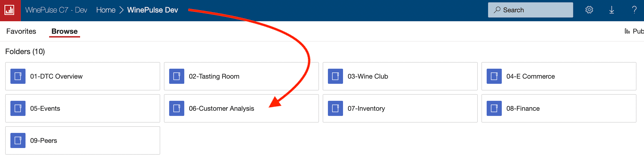
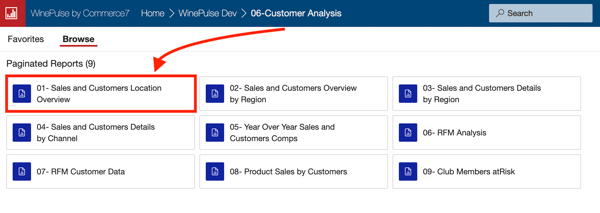
- Choose 01- Sales and Customers Location Overview
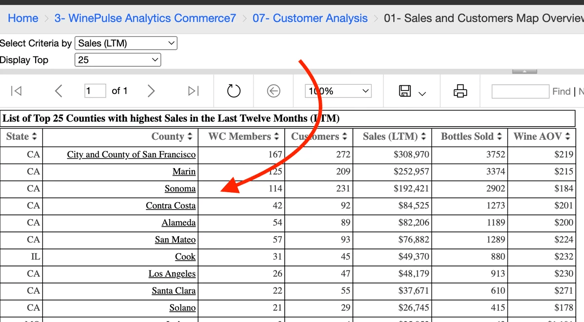
- Select a specific county or region from the table on the left side of the map to view statistical summaries and access detailed customer data for that area.
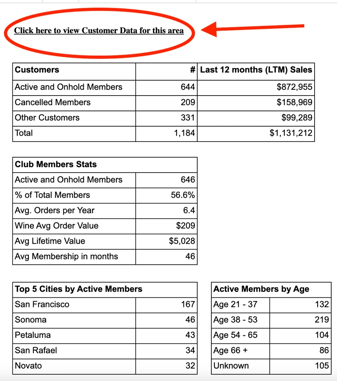
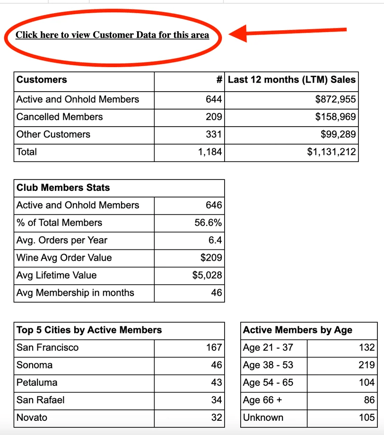
- To drill down further, click the 'Click here to view customer data for this area' link.
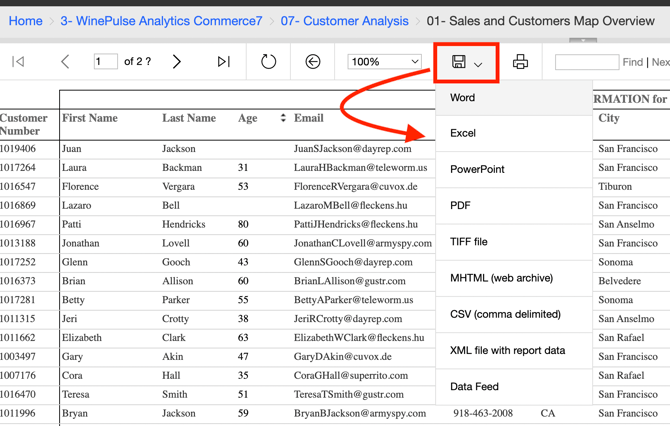
- Download to Excel so that you can work with it further. (Note that you may see no customer names or email addresses in the detailed view. If you would like to enable names and emails in your data view please contact Support).
View Your Customer by Zip Code
- Choose 07- Customer Analysis
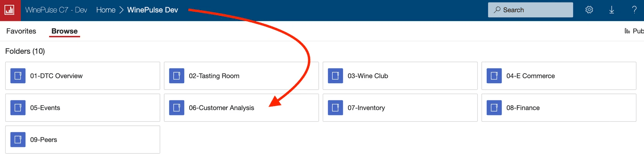
- Choose 02- Sales and Customers Regional Overview

- Enter Zip Code and mileage radius.
- Click View Report button.

- To drill down further, click the 'Click here to view customer data for this area' link.
- Download to Excel so that you can work with it further.
Skip the Summary Overview and Access Detailed Customer Data Directly
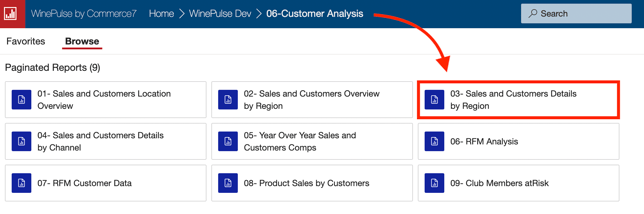
- Choose 07- Customer Analysis
- Choose 03- Sales and Customers by Region
- Enter Zip Code and mileage radius.
- Click View Report button.

- Download to Excel so that you can work with it further.