
The DTC Overview folders and reports are incredibly robust and useful both for everyday reporting and forecasting for the future.
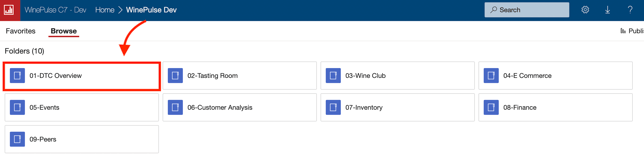
- Choose the 01- DTC Overview folder.
- Depending on what you need, choose the applicable report.
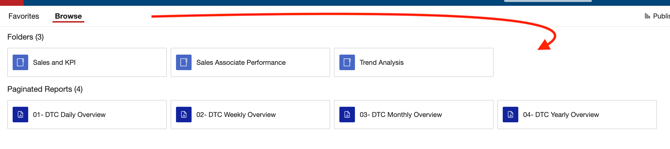
There is a lot to see here. Click into each section to explore what's available!
To see a full list of all DTC reports (and each report's purpose), click here.
Common queries and how to find the answers
- How can I see a DAILY overview report for all DTC channels?
Learn how here. - How can I sort the columns in DTC reports?
Learn how here. - Is it possible to set up automatic emails to send me the same report every day?
Yes. Learn how here. - Why can't I see how many Bundles / Gift Packs have been sold using WinePulse DTC Reports?
WinePulse reports on individual SKUs, so if you want to report on the Bundle level, you will need to do that directly in WineDirect. - Why can't I see my DTC sales for today on any reports?
WinePulse reports focus on DTC analytics and trends, utilizing data imported nightly from WineDirect to generate dashboards and reports. As a result, WinePulse cannot provide filtered reporting for the current day ('Today'). -
Which WinePulse Reports show Number of Orders?
WinePulse currently has two reports showing Number of Wine Orders:
OPTION 1: 03- Tasting Room > Sales and KPI > 02 KPI by Day
OPTION 2: 01- DTC Overview > Sales Associate Performance > 01- Sales Associate Overview
- Are reports planned for promo codes and discounts to measure marketing performance?
Promo code and discount reporting is planned for future WinePulse reporting expansion.