
Track how many guests participate in a wine tasting, then use WinePulse reporting to measure conversion rates from tasters - to orders and wine club signups.
In this Article
- Overview Video
- Tracking Tasters in POS
- Tracking Tasters in Reservations
- Quick Add for Tasting Guest Count
- Managing Tasting Guest Count
- WinePulse Reporting
- FAQ
Overview Video
Tracking Tasters in POS
-
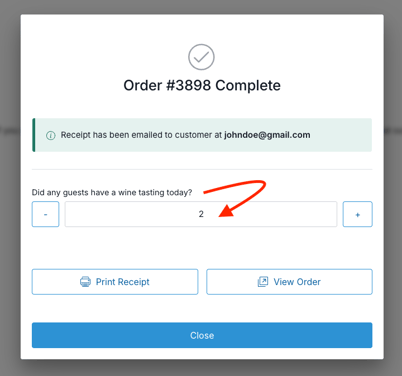
After an order is completed in the POS, the confirmation window includes a field to indicate how many guests had a wine tasting.
- If the order includes any products with the Product Type: Tasting, this field will automatically populate with the total quantity of those SKUs.
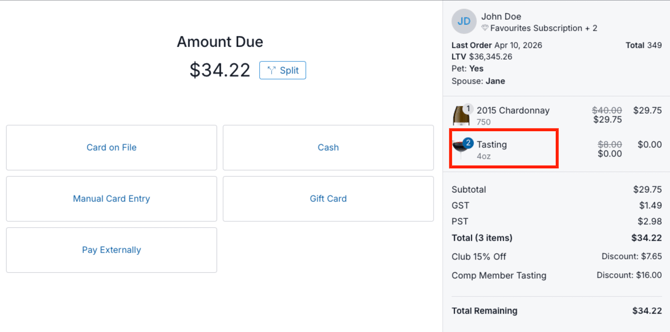
- Staff can update or clear this value as needed.
Tracking Tasters in Reservations
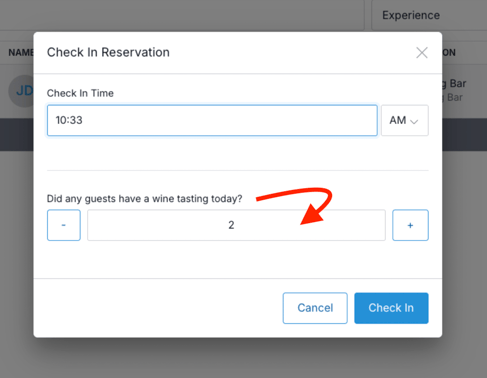
- When a reservation is checked in from the list page, the Check-In window includes a field to record how many guests had a wine tasting.
- If the reservation is for an Experience with the Experience Type: Tasting, this field will automatically populate with the reservation’s guest count.
- Staff can update or clear this value as needed.
- When using the quick check-in option on the Property Map, the guest count is logged automatically.
Quick Add for Tasting Guest Count
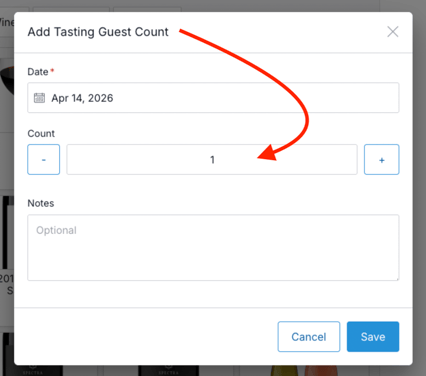
- At any time while using the POS or managing Reservations, staff can quickly add a tasting guest count directly from the main menu, without creating an order.
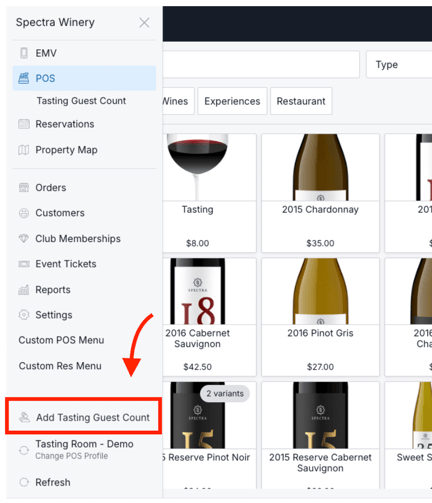
- Staff can update or clear this value as needed.
Managing Tasting Guest Count
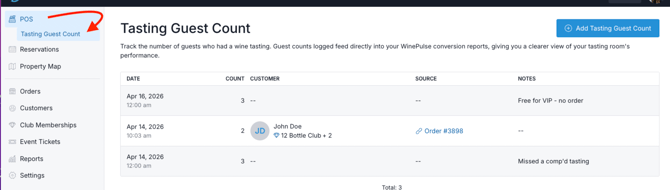
- On the POS page, the Tasting Guest Count section provides a log of all guest counts recorded through the POS, Reservations, and any manual updates.
- Staff can adjust counts and add notes as needed by clicking into the applicable reservation or order.
WinePulse Reporting
Tasting Guest Counts flow into your WinePulse reporting, allowing you to track conversion rates from tasters to completed wine orders and new wine club signups.
|
This metric is available in the following Dashboards and/or Reports:
|
Metric details:
|
FAQ
- If a Tasting is refunded, is the tasting count (in reporting) decremented as well?
No. In most cases, the guests still would have visited. The order value/refund status does not change the number of people that had been present. - If a guest checks-in (through Reservations) for a tasting experience, and then subsequently pays for a tasting along with their other bottle purchases, will those Tasters be double-counted in reporting?
Yes, they would be double-counted. If a guest checks-in (through Reservations) for a tasting experience, any purchases made during that visit are expected to be bottles, food, or merchandise - not the tasting itself. It is assumed the tasting was already paid for (and Tasters counted) at check-in, and therefore would not be added to the cart.- If your flow is that you do add Tastings to the cart during a reservation Tasting experience, then the best practice is to take that tasting count to zero upon completion of the order.