
Why was this feature built?
When a website is designed, its colors, fonts, and other styling are typically applied throughout the site, including to forms.
-
For added security, our new credit card fields are now kept separate from the rest of the website. This prevents website code from accessing sensitive payment information.
-
However, this also means the credit card fields no longer automatically inherit the website's styling.
That's where our new Styling feature comes in!
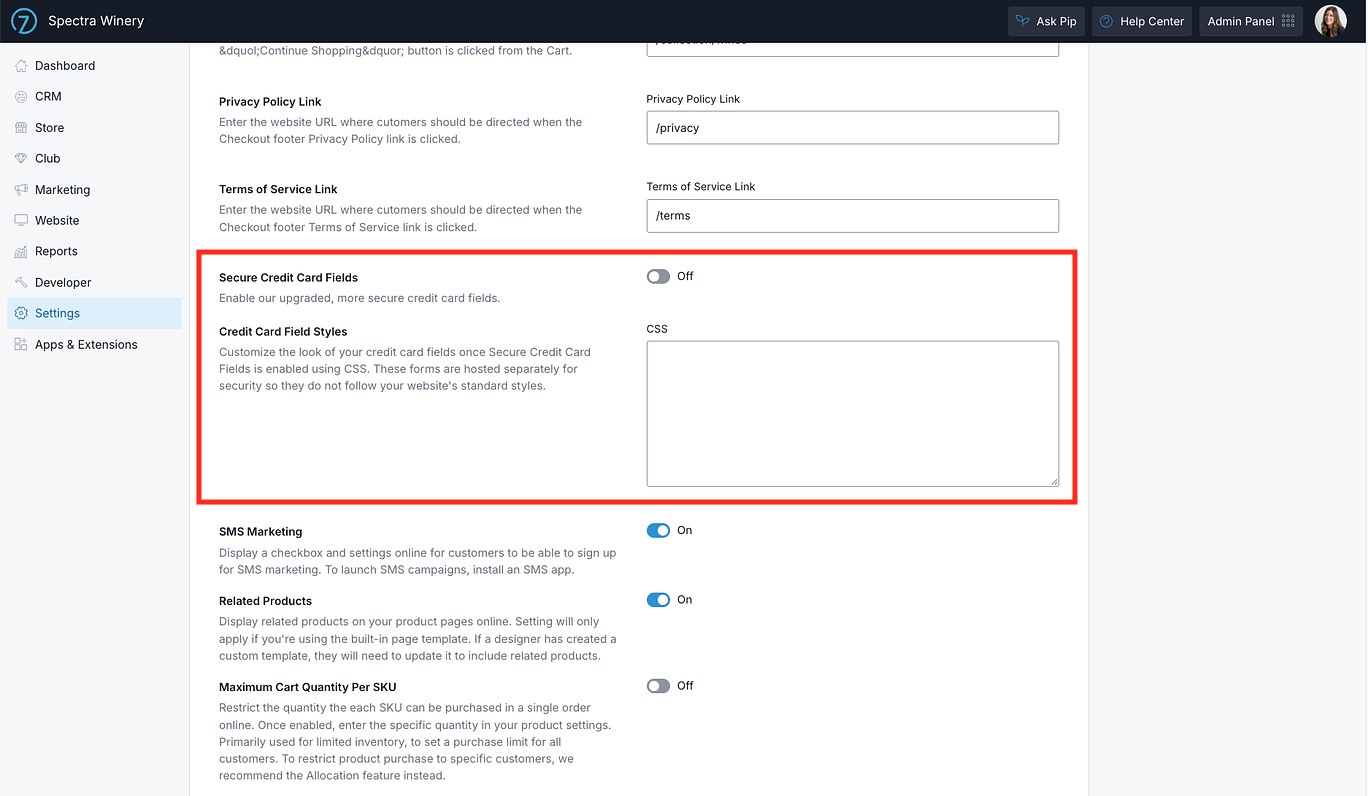
We've added a setting that allows designers to customize the appearance of these secure credit card fields using CSS (the code that controls how things look on a website).
Do I need to customize my credit card fields?
Not at all! The new secure credit card fields are designed to look great right out of the box, so no additional styling is required. However, if your website uses custom styling for its forms, such as specific fonts, border colors, or label colors, you may want to use this new setting to make sure your credit card fields match the rest of your website.
When is this change happening? The option to use the older credit card fields will be removed in 30 days, at which point all websites will use the new secure fields.
So you have until Nov 30, 2026, to turn on Secure Card Fields in General settings. The Styling feature is a permanent setting and will remain available for customization at any time.
Using the Card Field Styling Setting
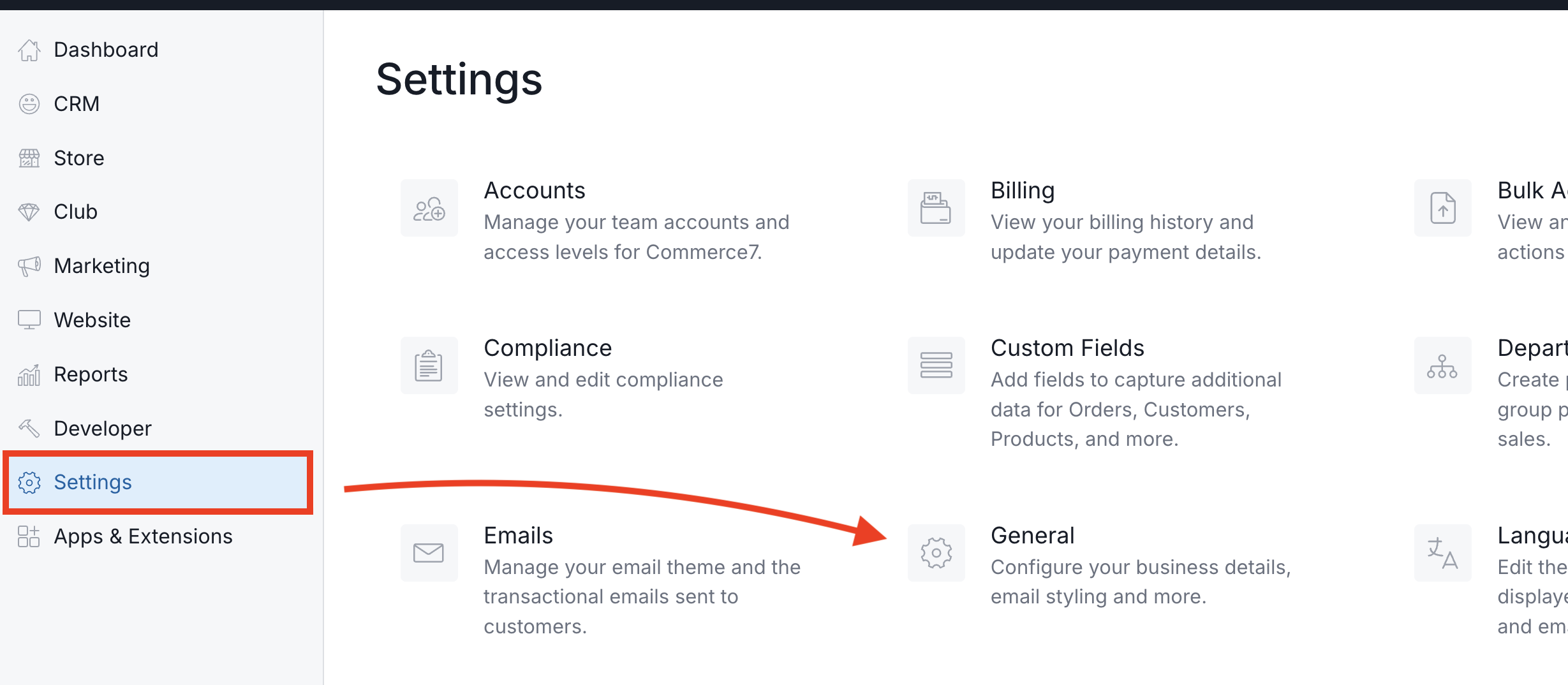
- Go to Settings > General.
- Scroll down to Credit Card Field Styles.
- Enter in your CSS.
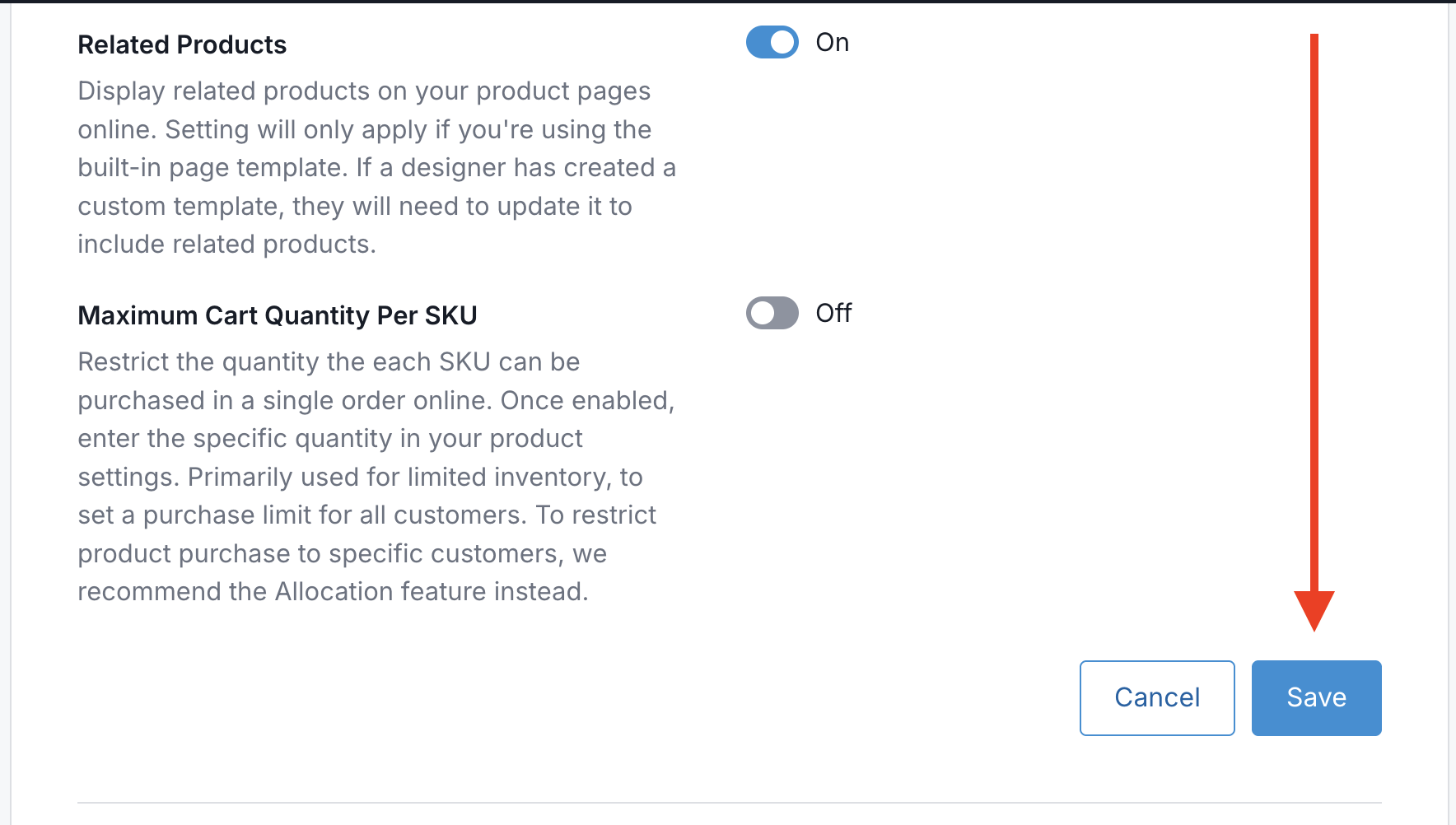
- Scroll down and click Save.
Note: These settings are only used when Fullsteam is your payment gateway. You will only see them if you have not yet added a payment gateway, or Fullsteam Payments is enabled.