
What it is
A dedicated SMS Marketing field on the customer record that gives wineries a reliable place to capture and manage customer SMS subscription status directly within Commerce7. The field is editable in the admin, included in customer exports, and available in queries for segmentation and outreach.
Why we built it
In this Article
- Collecting SMS Opt-ins on a Customer Record
- Collecting SMS Opt-ins Online
- SMS Details Collected
- Exporting SMS Data Using the Customer Export
- Exporting SMS Data Using Customer Queries
- FAQ specifically for RedChirp users
Collecting SMS Opt-ins on a Customer Record
- When editing a customer: Each 'Phone' field includes a corresponding 'SMS Marketing Status' field
- Options include: Subscribed, Unsubscribed, or it can be left blank.
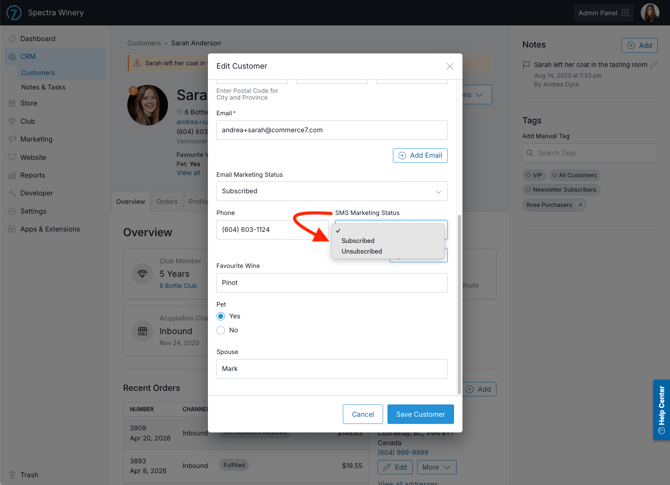
Note: Phone numbers should not be marked as Subscribed unless the customer has given explicit consent to be opted-in.
Collecting SMS Opt-ins Online
By default, no SMS settings appear online for customers. If you are using an SMS integration like RedChirp, you can enable a setting to collect SMS opt-ins online.
-
Go to Settings > General.
-
Go to the General section.
-
Toggle for SMS Marketing to 'On'.
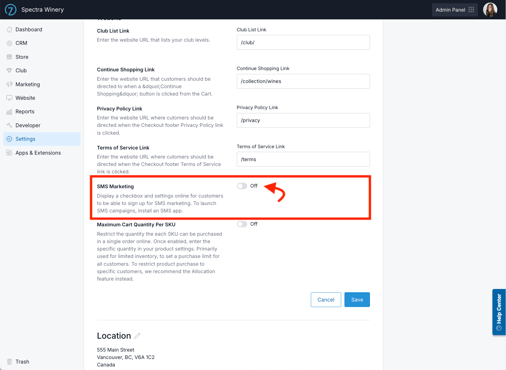
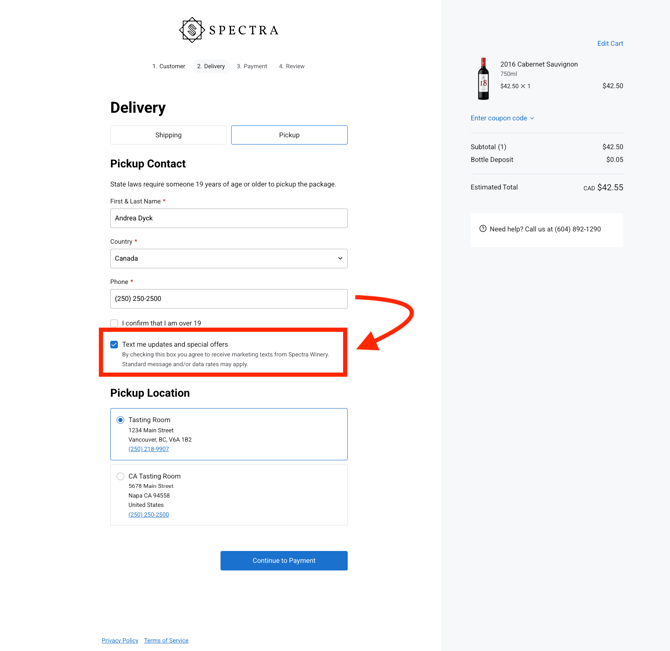
- Once this is toggled on, you will see the following opt-in language on your site (depending on whether it's checkout, club signup or booking a reservation).
CHECKOUT
CLUB SIGNUP 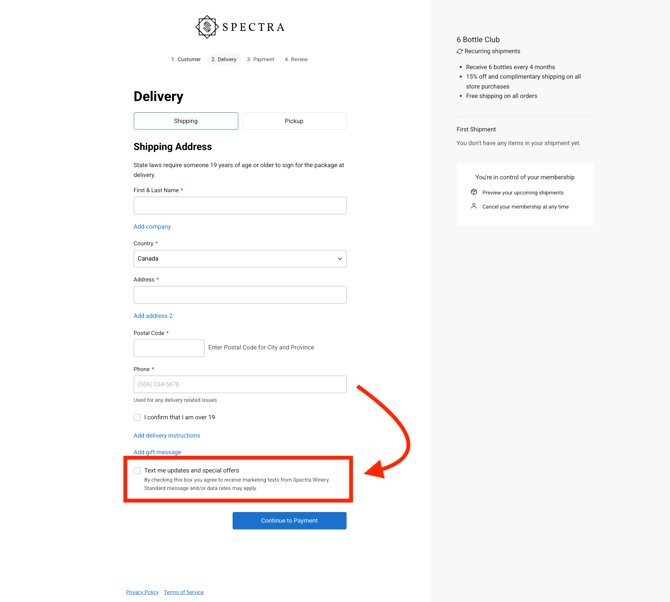
BOOKING A RESERVATION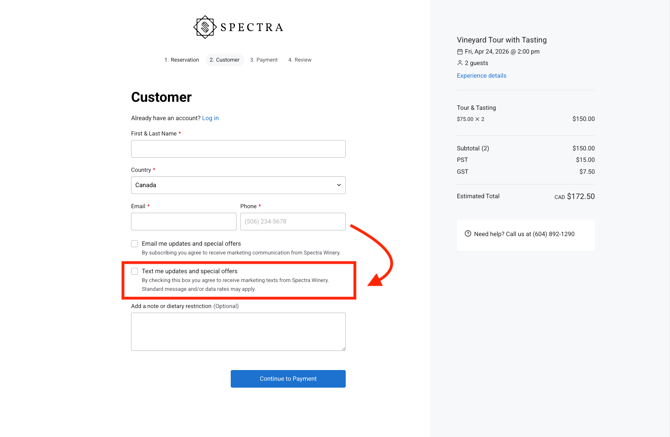
SMS Details Collected
For each SMS subscription, we collect the following data to ensure you're compliant.
- SMS Marketing Status: Subscribed, Unsubscribed, or blank
- SMS Marketing Updated At: When the status was last updated
- SMS Marketing Updated By: Who the status was updated by
- SMS Marketing Consent Channel: Where the customer consented (For example: web, inbound, etc.)
Exporting SMS Data Using the Customer Export
The simplest way to view the SMS opt-in status of all customers if through the customer export.
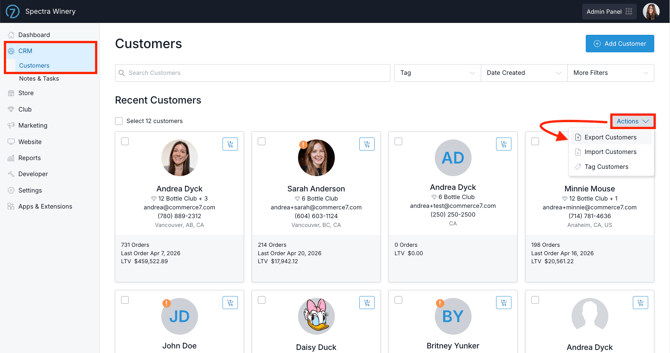
- Go to CRM > Customers.
- Click Actions > then choose Export Customers.
- In the CSV file you will see columns for:
- Phone
- SMS Marketing Status
- SMS Marketing Updated At
- SMS Marketing Updated By
- SMS Marketing Consent Channel
- SMS information can be exported for up to 3 phone numbers per single customer record.
Exporting SMS Data Using Customer Queries
- Go to Reports > Queries.
- Click Add Query and select 'Customer' as the type.
- Add a Condition Group and select 'Customer' as the property type.
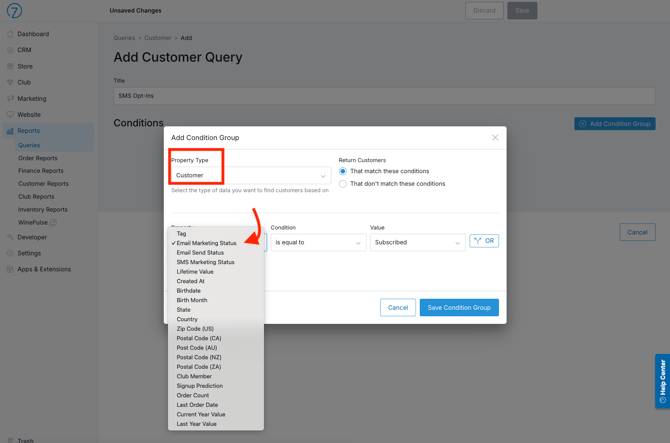
- Select 'SMS Marketing Status', then choose whether you want to find customers marked as 'Subscribed' or 'Unsubscribed'.
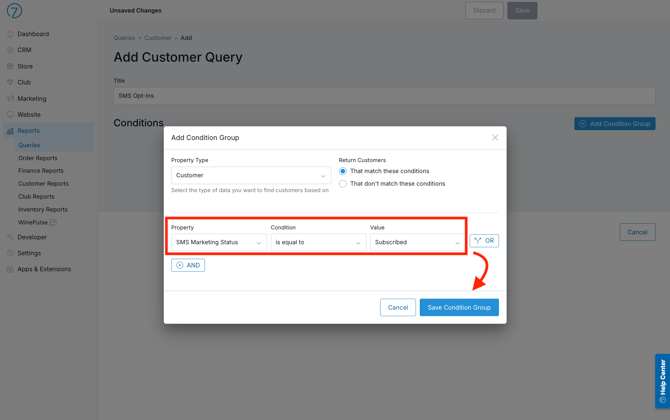
- Click Run Query to view the list of matching customers, and optionally export your list of results.
This feature is currently integrated with RedChirp only at this time.
FAQ for RedChirp Users
-
When consent from one of these new C7 sources is gathered, will it automatically update consent in RedChirp?
Yes. RedChirp is automatically notifies and updates its consent records when consent is captured through Commerce7’s consent gathering features such as during the checkout and from the POS / admin panel. -
Will we back populate consent in C7?
Yes. RedChirp offers a feature that can automatically tag customers in Commerce7 with their consent status (separate tags are available to track conversational, informational or promotional consent). Contact your RedChirp guide if you need help setting this up. - If someone updates their consent in Redchirp will that flow to C7?
Yes. RedChirp offers a feature that can automatically tag customers in Commerce7 with their consent status (separate tags are available to track conversational, informational or promotional consent) - when this is turned on and a user updates their consent in RedChirp, RedChirp will automatically update the customer tagging in Commerce7. Contact your RedChirp guide if you need help setting this up.