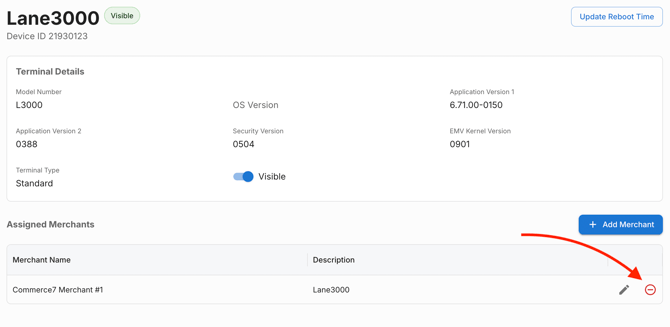
Sometimes we will recommend that you remove and re-add your device to your Pulse (Merchant Track) account and POS Profile. Here's how:
-
- Access your Pulse (Merchant Track) Dashboard
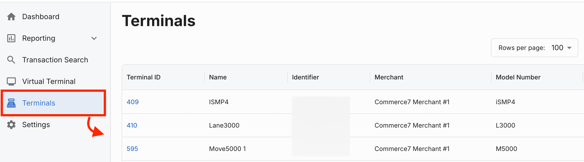
- Go to Terminals > View Terminals.
- Click the Terminal ID that you are troubleshooting.
- Click Edit in the bottom right.
- Click the Remove icon.