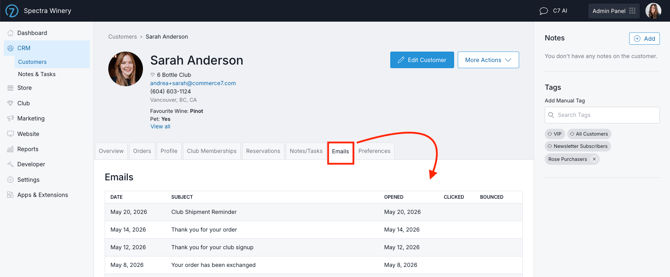
Send a one-time email to any customer directly from their record to communicate quickly, while automatically saving a full history of the email content and performance metrics within Commerce7.
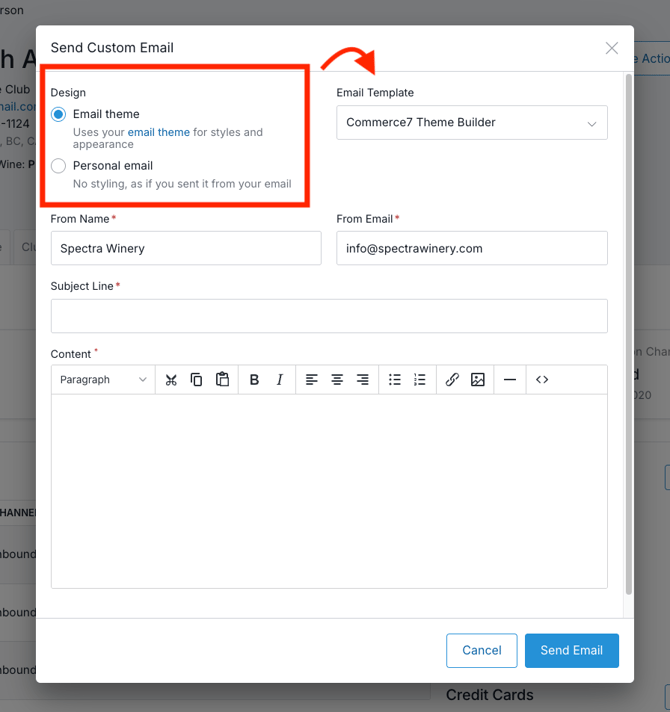
- On a customer record, go to Actions > Send Custom Email.
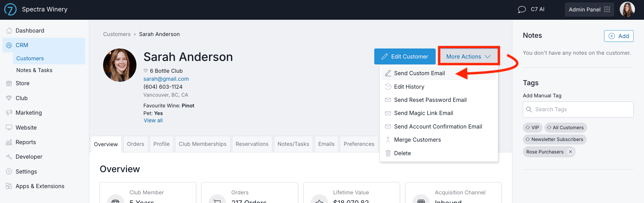
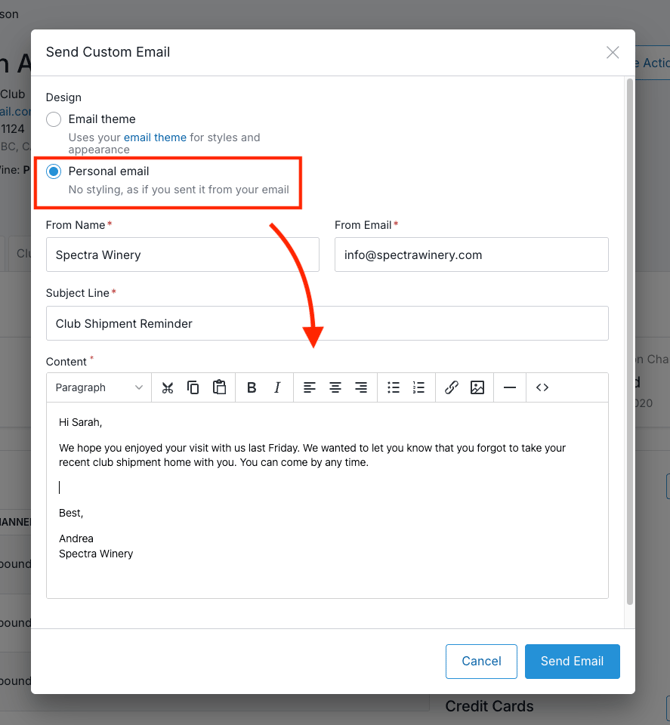
- Choose a design: Email Theme or Personal Email.
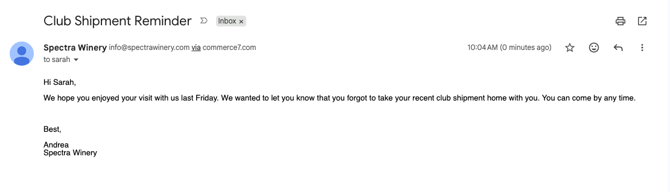
- Select Personal Email to send a text email (without the extra styling like your logo or background color).
- Example of what this looks like to the customer:
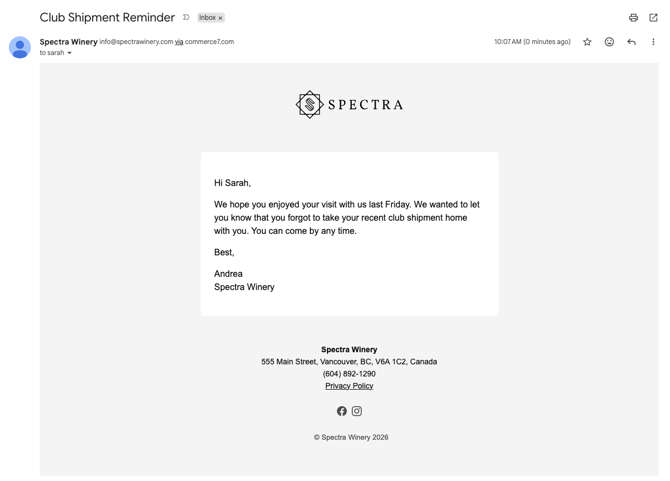
- Choose Email Theme to use a custom Email Template that you've created.
- Here's an example of what it looks like to your customer:
- Select Personal Email to send a text email (without the extra styling like your logo or background color).
- Enter a Subject Line and Email Content.
- Click Send Email.
- The email will be sent to all email addresses stored on the contact record, just like Transaction or Campaign emails.
- To review the email that was sent and see engagement metrics such as opens and clicks, open the customer record and go to the Email tab.