You can add Third Party Sources or Referrals for Reservations, allowing you to recognize and reward third parties for high-quality referrals. Common examples of these sources include hotel concierges, limousine drivers, and booking services.
Creating a Third Party Source or Referral for Reservations
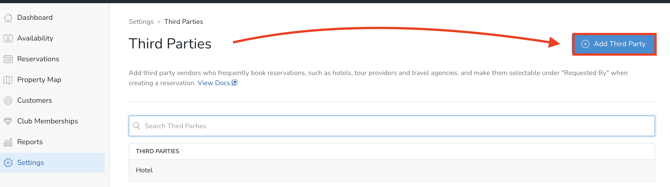
- From Reservations Settings, choose the Third Party section.

- Click the Add Third Party button.
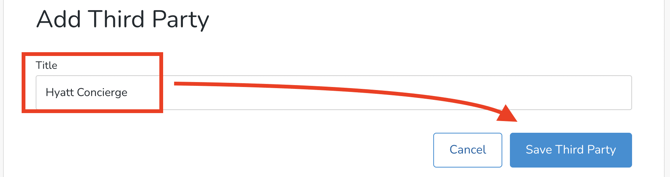
- Add a Title and click the Save button.
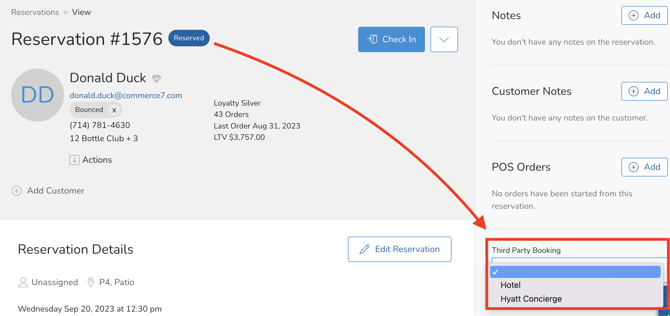
- Now you will see the option to choose when you are viewing a Reservation.
Exporting
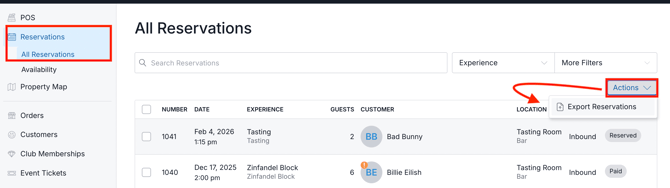
You can export this information by downloading a Reservations export.
- Go to Reservations > All Reservations.
- Filter as-needed.
- Under the Actions menu, choose Export Reservations.
- You'll see the Third Party column in the export.