
- This functionality replaces Property Maps, but existing Property Maps are still fully functional. They have been moved to this page from Developer > Property Maps to POS > Settings > Floor Plan Builder.
- If you are a designer/developer using the legacy Property Map feature, check out the free and fast Reservation Map Generator developed by 5Forests. Upload your property map, add your tables, enter table codes and titles, copy the JSON code to your clipboard, paste into Commerce7.
- Floor Plan already set up? Go here to learn how it works.
Adding a Reservation Floor Plan
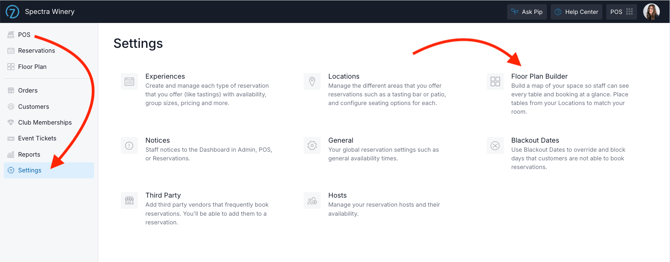
- In the POS Panel, go to Settings > Floor Plan Builder.
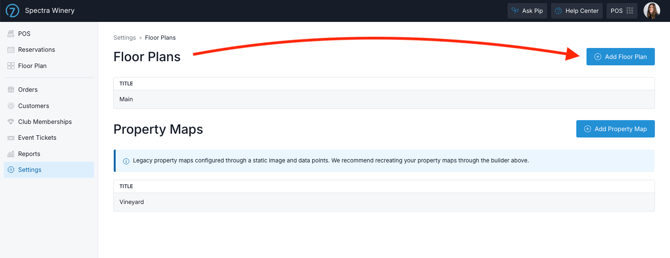
- Click Add Floor Plan Map.
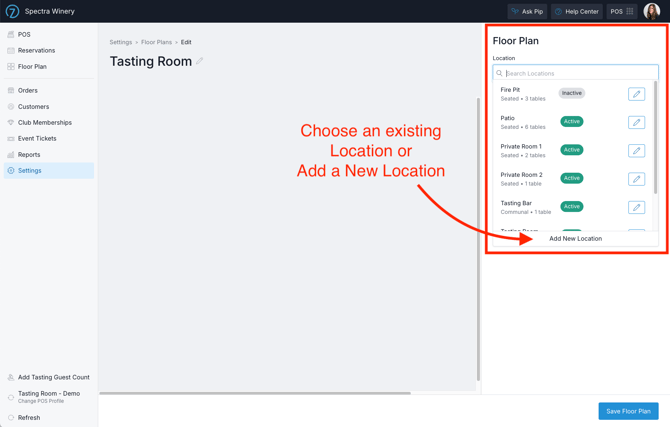
- Select an existing Location from the dropdown at the right, or click Add New Location.
- If you selected an existing Location, you will see all of your tables appear in a list.
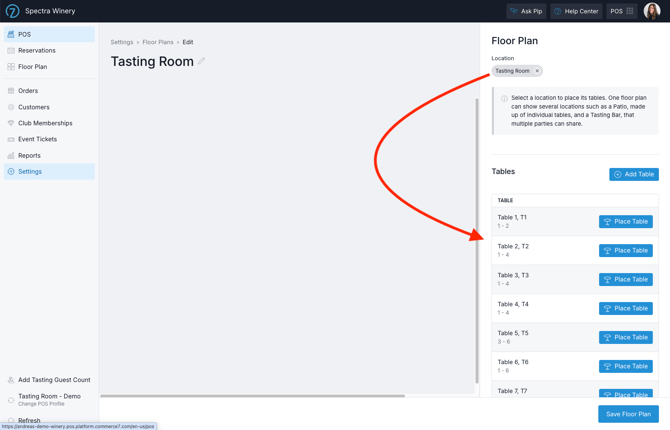
- If you selected an existing Location, you will see all of your tables appear in a list.
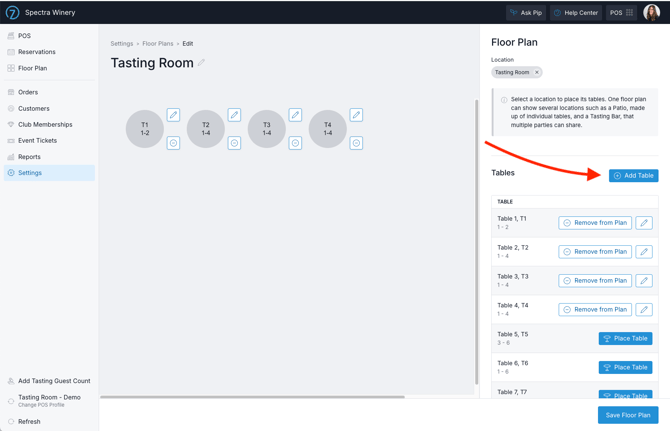
- To add a new table click Add Table. (Note: If you added a new Location, you will start off with no tables).
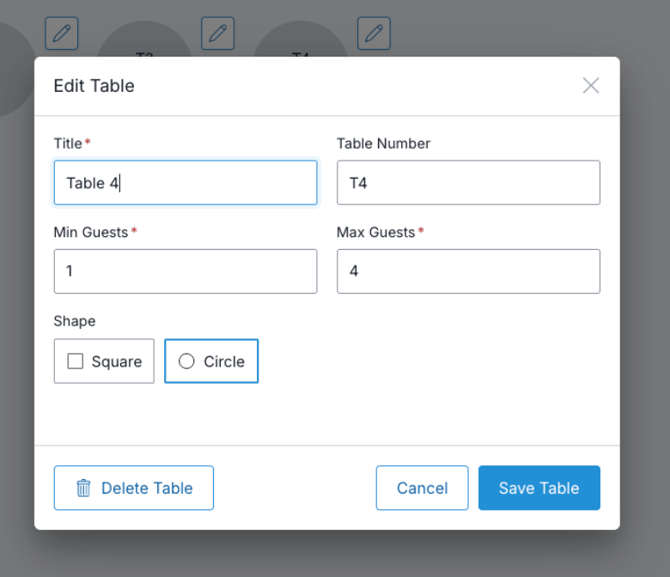
- Enter in a name, code, and the number of guests who can sit there.
- Select a shape.
- Click the Save Table button.
- Click Place Table to add any existing table to the floor plan.
- Click Edit to adjust the shape.
- Click to drag or resize the shape on the floor plan.
- Hold down Shift to click and select multiple tables at a time to move.
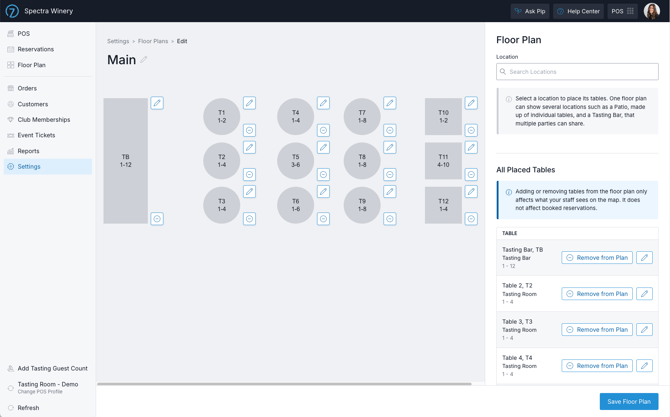
- If you want to combine multiple Locations to display on the same floor plan, click 'x' on the selected location, then select or add another. This does not delete or remove the Location.
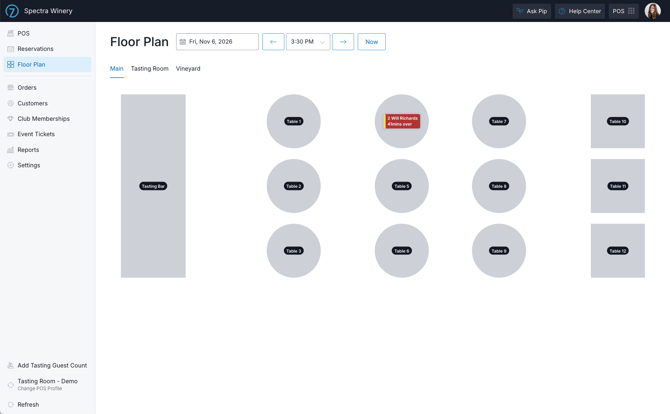
- Here is what it will look like when in use:
Notes
- Removing a table from the floor plan does not delete the table. Tables can be deleted by clicking 'Edit' then clicking 'Delete Table' in the modal.
- Any edits made to Locations or Tables will update your Location and table settings under Settings > Locations.
- For example, if you update the guest count on a table, that will update your settings, not just the floor plan.