It's important to know who your top customers are so that you can nurture that relationship.
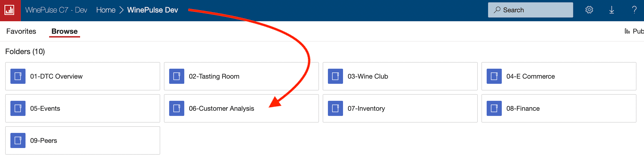
- Choose 06- Customer Analysis
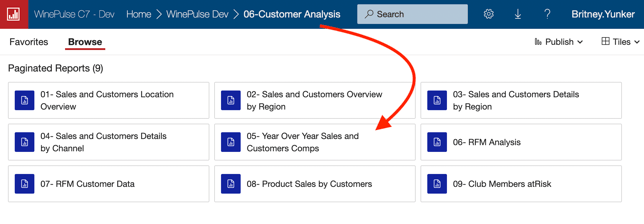
- Choose 05- Year Over Year Sales and Customers Comps
- Choose an end date.
- Choose how many customers you'd like to report on.
- Click the View Report button.

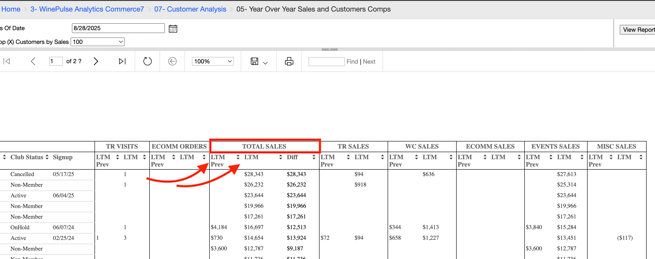
- Scroll to the right until you see Total Sales.
- You'll see Last Twelve Months (LTM) and Previous Twelve Months (LTM Prev) for the Total, plus a break down by channel.
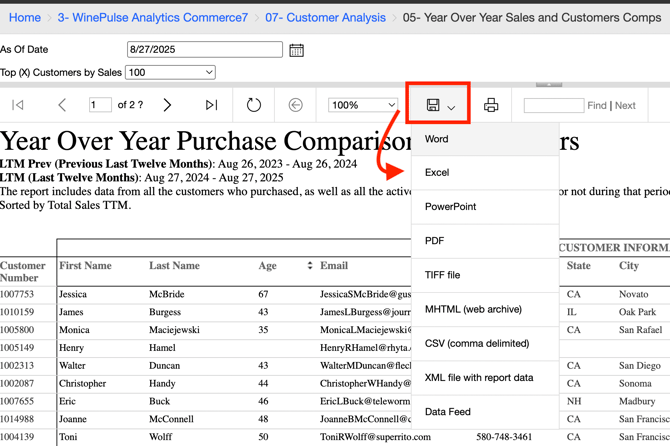
- Download to Excel so that you can filter further if you need to. Plus you can use this information to send these customers a targeted campaign.