Quickly identify customers whose purchase activity has declined significantly compared to last year.
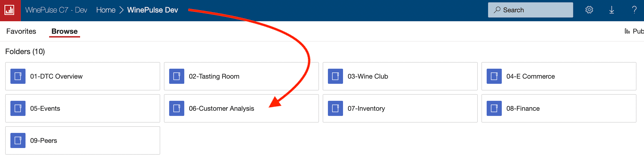
- Choose 06- Customer Analysis
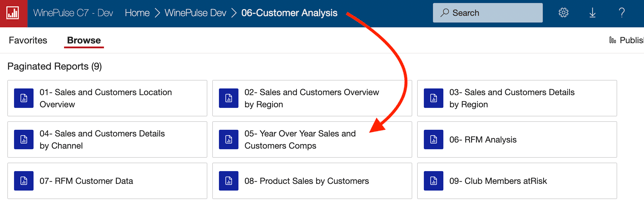
- Choose 05- Year Over Year Sales and Customers Comps
- Choose an end date.
- Choose how many customers you'd like to report on.
- Click the View Report button.

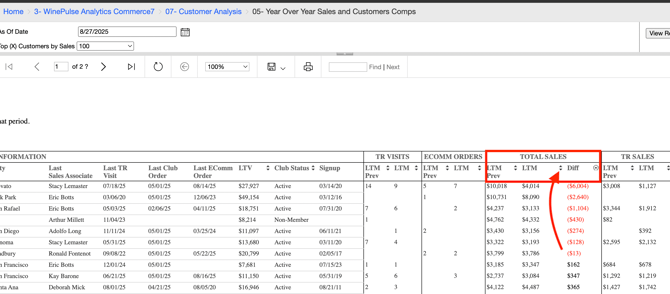
- Scroll to the right until you see the TOTAL SALES column.
- Click on the 'Diff' column icon to sort for customers with a significant negative differential. (This gives you a chance to reconnect with these customers and develop targeted strategies to regain their loyalty and encourage future purchases).
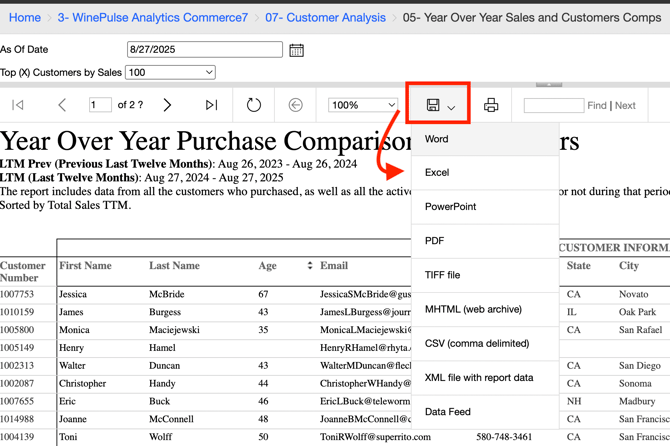
- Download to Excel so that you can filter further if you need to.